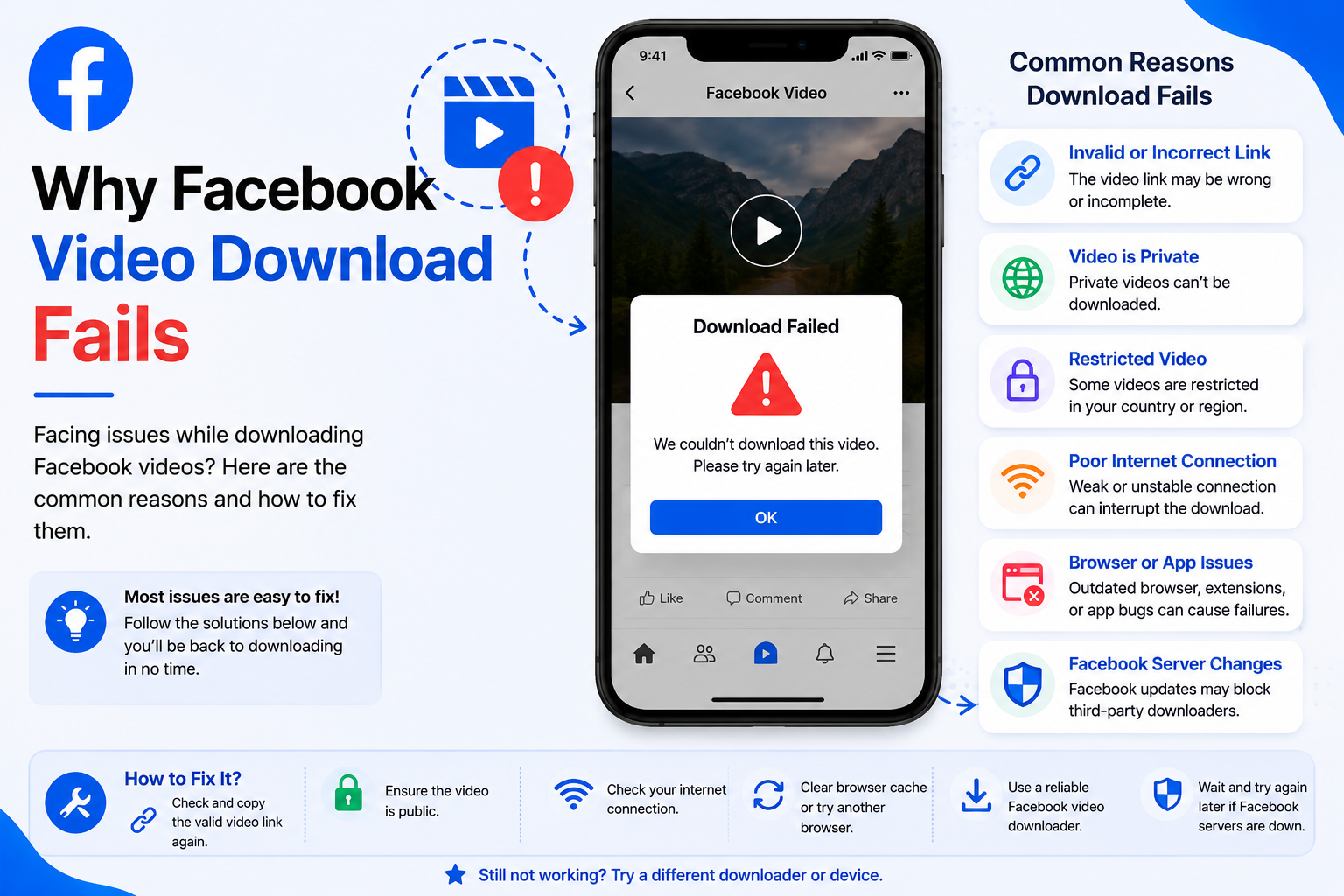
Why Facebook Video Download Fails
Sometimes a Facebook video may not download successfully, even when you've copied the correct link. In most situations, the problem is not caused by Clipyfi itself. Instead, it is usually related to Facebook privacy settings, an incorrect URL, browser issues, or temporary network problems.
This guide explains the most common reasons why Facebook video downloads fail and provides practical solutions that can help you successfully download publicly available Facebook videos.
Common Reasons Facebook Downloads Fail
Facebook uses different privacy settings for videos, which means not every video is publicly accessible. Understanding these limitations helps explain why some download attempts may not succeed.
- The Facebook video is private.
- The copied URL is incomplete.
- The video has been deleted.
- The post has restricted privacy settings.
- Your internet connection is unstable.
- Your browser cache is outdated.
- Temporary Facebook or network issues.
Before trying advanced troubleshooting, refresh the page, copy the Facebook video link again, and make sure the video is still publicly available.
Problem 1 — The Video Is Private
Facebook allows users to choose who can view their videos. If a video is shared only with friends, a private group, or a limited audience, Clipyfi cannot access or process it because it is not publicly available.
Only videos that can be viewed publicly without restrictions are supported.
Problem 2 — Incorrect Video URL
An incomplete or incorrect Facebook link is one of the most common reasons for failed downloads. Always use Facebook's Copy Link option or copy the complete URL directly from your browser's address bar.
Problem 3 — The Video Was Removed
If the creator deletes the video or removes the original Facebook post, the content is no longer publicly available and cannot be downloaded.
Problem 4 — Slow Internet Connection
A weak internet connection can interrupt communication between your browser and Clipyfi. If pages load slowly or frequently disconnect, wait until your connection improves or switch to a stable Wi-Fi network.
Problem 5 — Browser Issues
Outdated browsers or cached website data may occasionally interfere with downloading. Updating your browser and clearing the cache often resolves these issues.
Using the latest version of Google Chrome, Microsoft Edge, Firefox, or Safari provides the best compatibility with Clipyfi.
Basic Troubleshooting Checklist
- Copy the Facebook video URL again.
- Refresh the Clipyfi page.
- Confirm the video is public.
- Clear your browser cache.
- Restart your browser.
- Check your internet connection.
- Try another supported browser.
Advanced Troubleshooting
If the basic troubleshooting steps did not solve the problem, there are several additional checks you can perform. Many Facebook download issues are temporary and can often be resolved without any technical knowledge.
Clear Browser Cache
Temporary browser files occasionally interfere with website functionality. Clearing your browser cache and reloading the page often resolves unexpected download problems.
Disable Browser Extensions
Some browser extensions, particularly ad blockers, VPN extensions, or privacy tools, may interfere with the downloader. Temporarily disabling these extensions can help identify whether they are causing the issue.
Try Another Browser
If downloading still fails, open Clipyfi using another supported browser such as Chrome, Edge, Firefox, or Safari.
Verify the Original Video
Open the Facebook link directly to make sure the video is still available and publicly accessible. If Facebook itself cannot display the video, Clipyfi cannot process it either.
Clipyfi cannot download private Facebook videos, deleted posts, videos shared only with friends, or content that has been removed by Facebook.
Best Practices
- Always copy the complete Facebook URL.
- Use a stable internet connection.
- Keep your browser updated.
- Avoid refreshing the page during processing.
- Download only publicly available videos.
- Respect copyright and creator ownership.
Frequently Asked Questions
Why does my Facebook video fail to download?
Most failures occur because the video is private, the URL is incomplete, the video has been removed, or your internet connection is unstable.
Can I download private Facebook videos?
No. Clipyfi only supports videos that are publicly accessible on Facebook.
Why does processing take a long time?
Large videos, slower internet connections, or temporary network congestion may increase processing time.
Do I need a Facebook account?
No. Public Facebook videos can be processed without signing into Facebook.
Does Clipyfi store downloaded videos?
Clipyfi processes download requests efficiently. Please review our Privacy Policy for information about data handling.
Can I use Clipyfi on Android and iPhone?
Yes. Clipyfi works on Android phones, iPhones, tablets, laptops, and desktop computers using a supported browser.
Is Clipyfi free?
Yes. Clipyfi allows users to download publicly available Facebook videos without requiring registration.
How do I report a problem?
If you've followed every troubleshooting step and still experience problems, please contact us through our Contact page. Include the Facebook video URL and a brief description of the issue so we can investigate.
Conclusion
Most Facebook video download failures are caused by private videos, incorrect links, temporary browser issues, or unstable internet connections. By following the troubleshooting steps in this guide, you can usually resolve the problem within a few minutes and continue downloading publicly available Facebook videos with Clipyfi.
For more tutorials and troubleshooting articles, explore the Clipyfi Help Center. We regularly publish new guides covering YouTube, Instagram, Facebook, and other supported platforms.
Visit the Clipyfi Help Center for additional tutorials, troubleshooting guides, and answers to common questions.